Progress you can see. Details in one place. Changes you can trace.
Stakoa is a project management tool built for creators who make products with Codex. It breaks project goals into phases and tasks, turns your conversations into progress updates, analyzes how development is going, keeps outcomes in one place, pulls scattered details together and builds project memory — so you always know where every step of your product stands.
Lost in a hundred conversations.
Tasks move across many conversations in a project, but you can't see which requests are resolved, which issues are stalling and which decisions need you.
Design rules, interaction details and product logic end up scattered across conversations — the more they pile up, the messier your constraints get.
UI, interactions and page logic get reworked again and again, but nothing records what changed or why — so reviews and next steps rely on memory.
Every project, from goal to done.
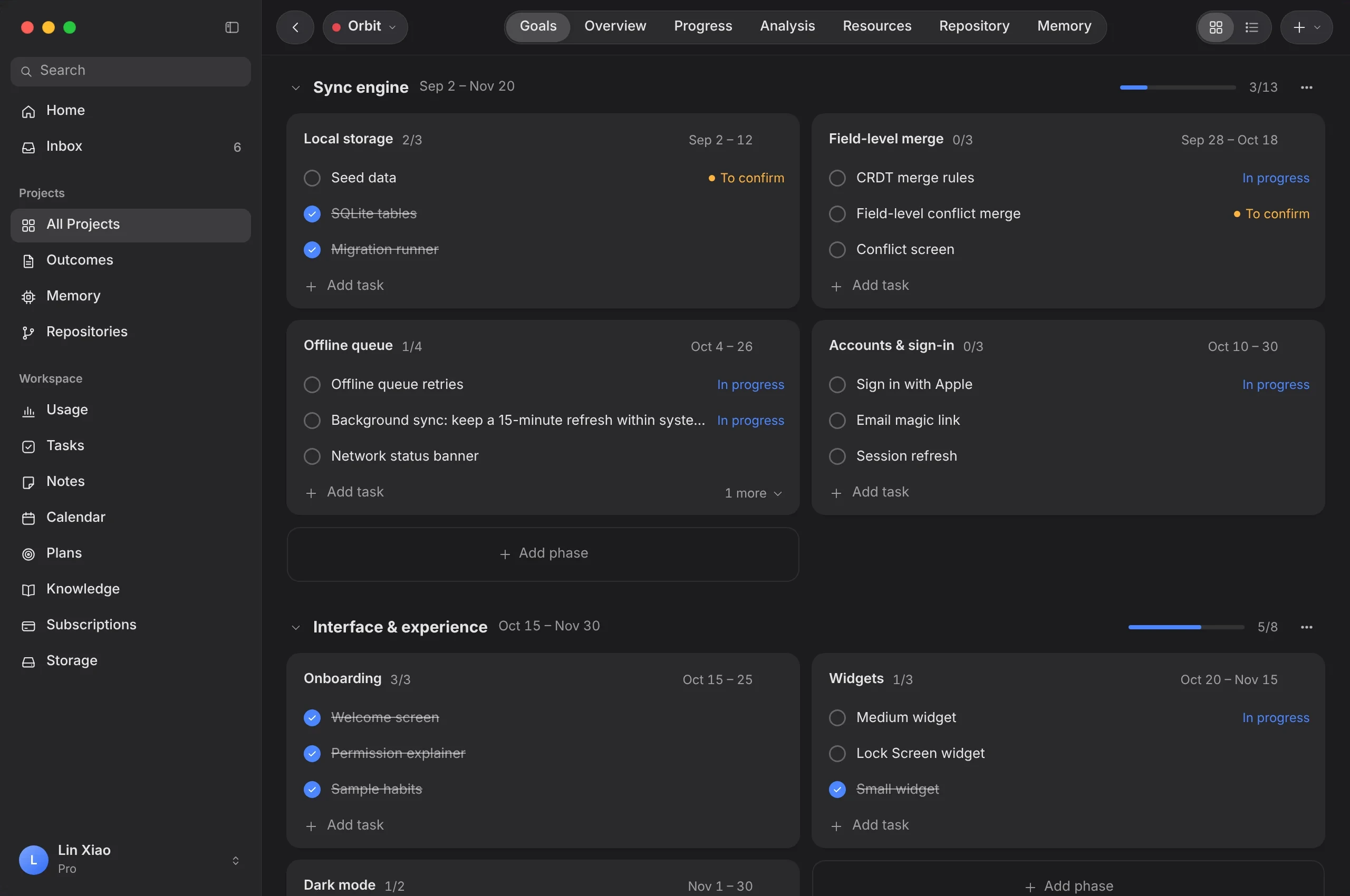
Set your project goals once — the overview, progress, scan analysis and resources are generated automatically.
Plan the work your way.
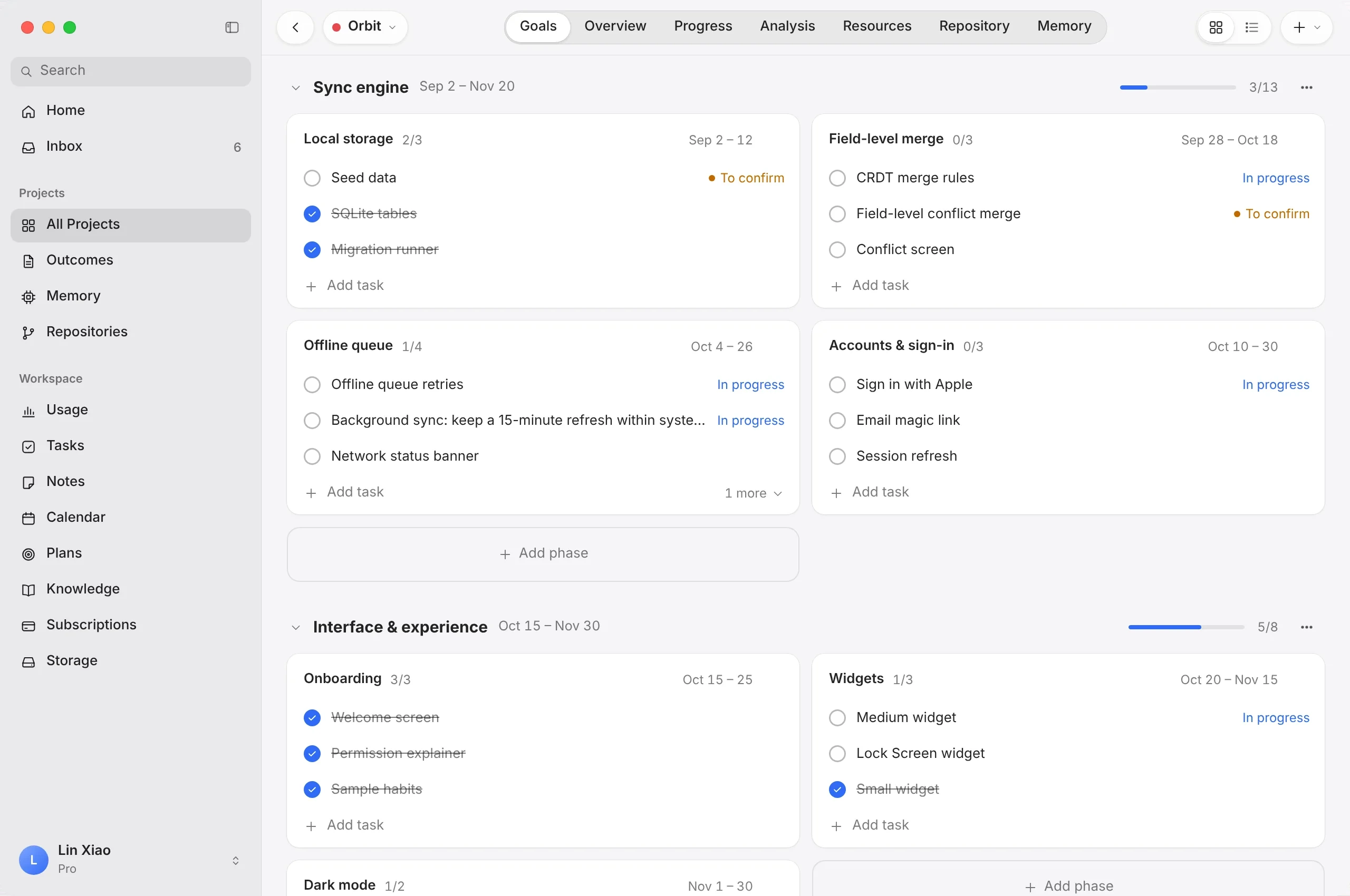
Create branches for each part of the project, set phase directions inside them and break every phase into execution tasks. Dates and progress roll up on their own.
- Branches → phases → execution tasks
- Card and list views
- Progress and dates for every phase
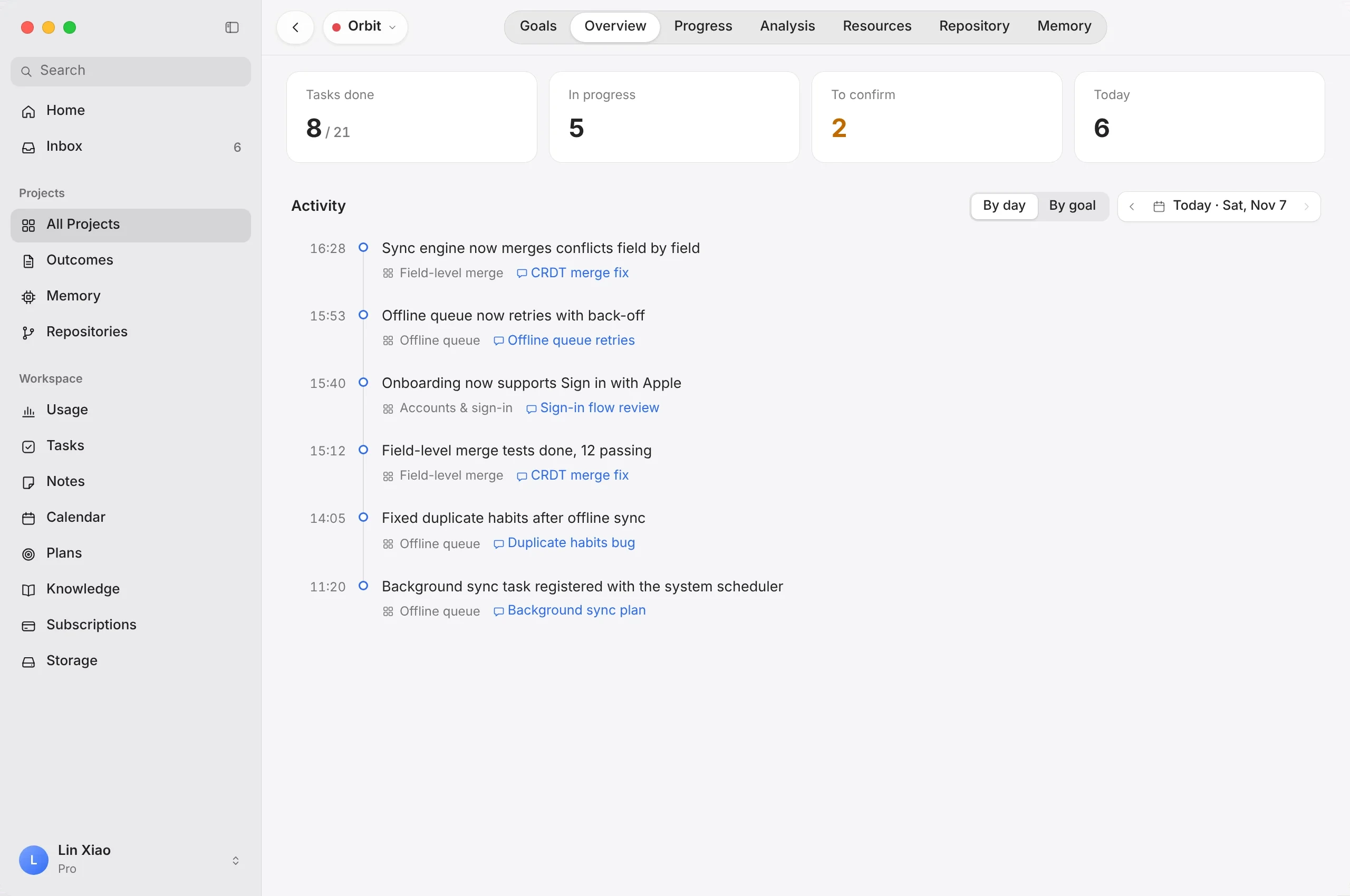
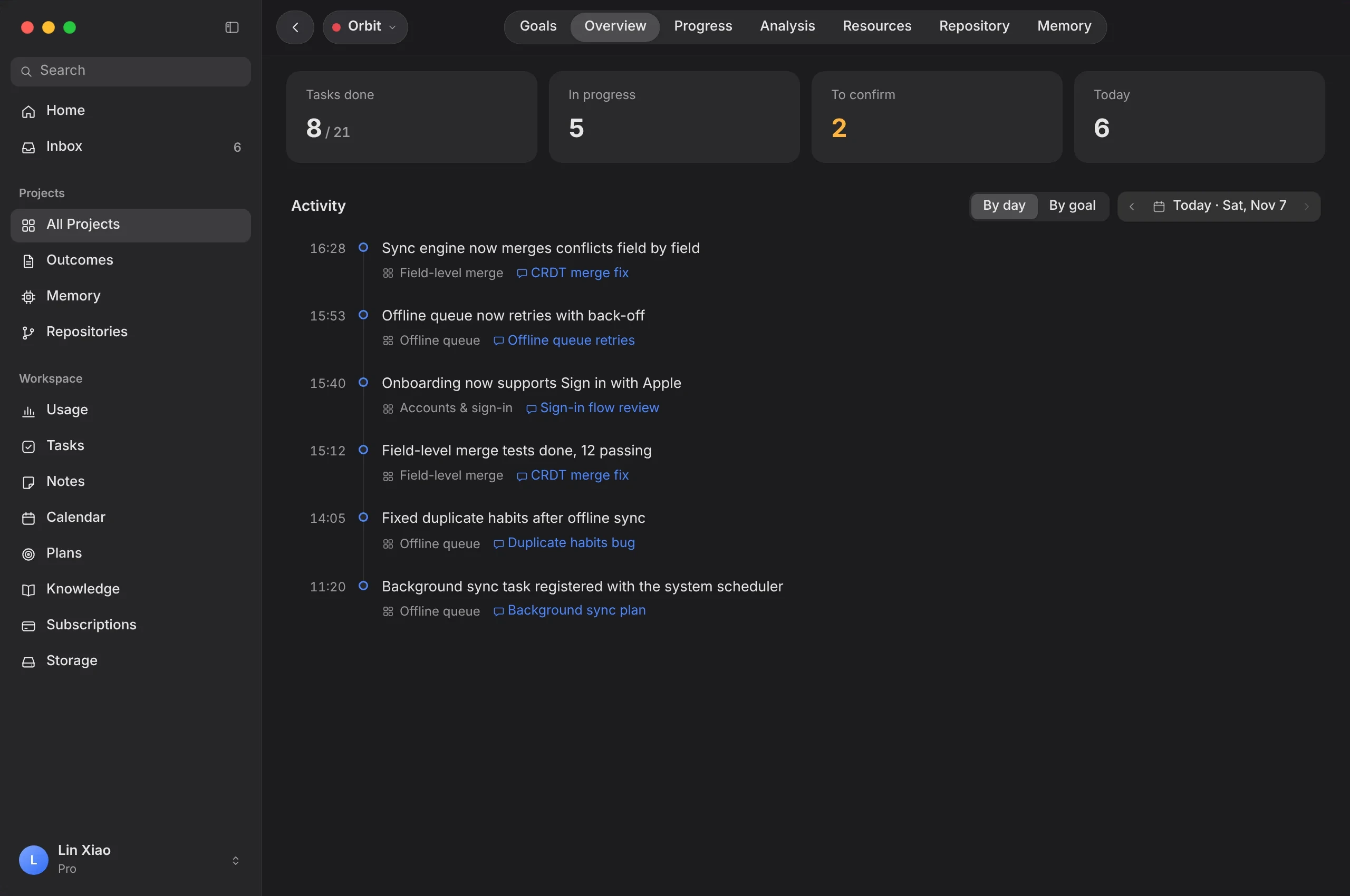
See everything that moved — as it happens.
A live timeline of project activity, each update linked to the conversation it came from. Switch between daily progress and goal progress for the day or the big picture.
- Live activity timeline
- Done, in progress and to confirm at a glance
- Daily progress and goal progress views
Board, list or nodes — your call.
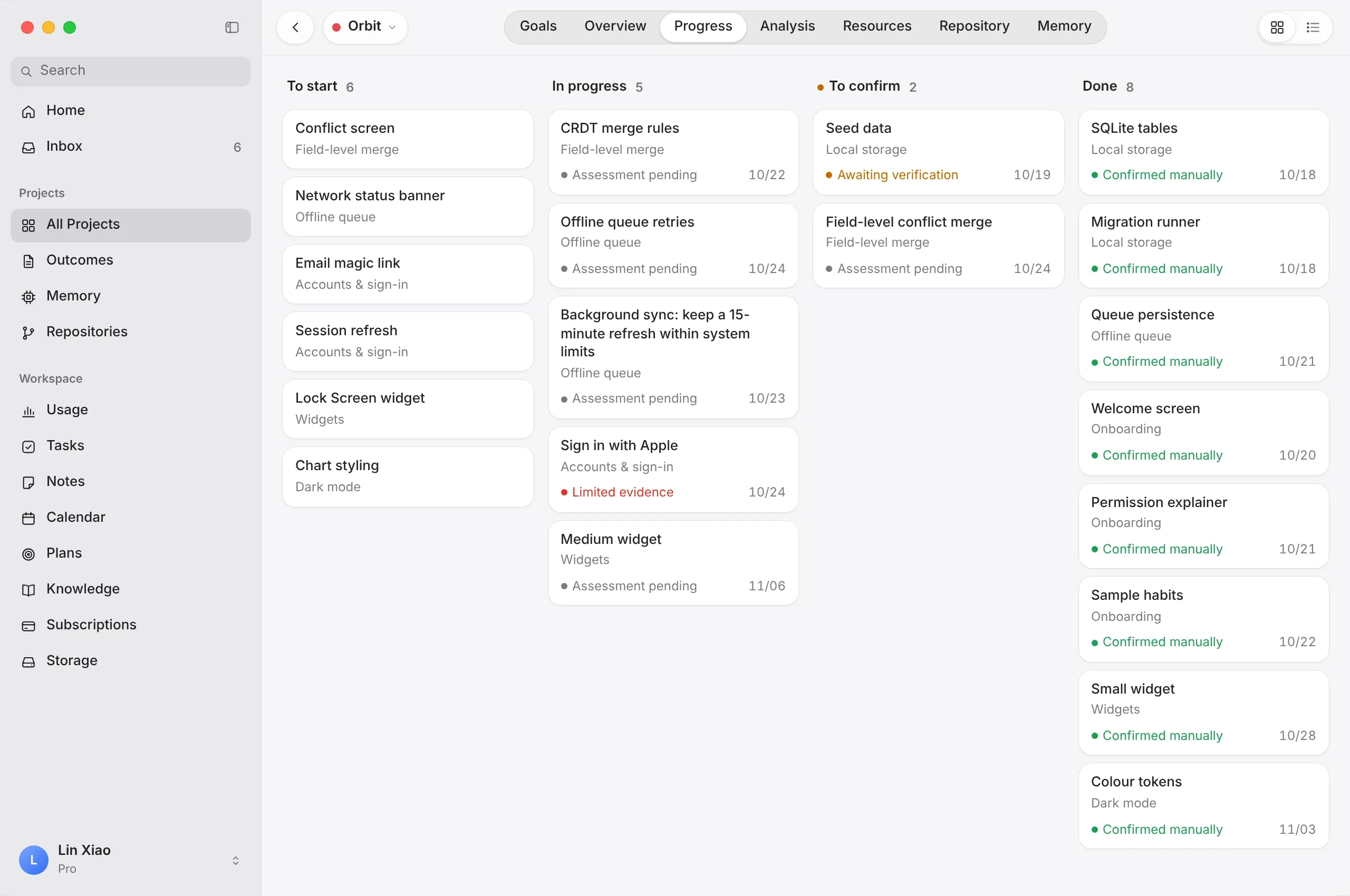
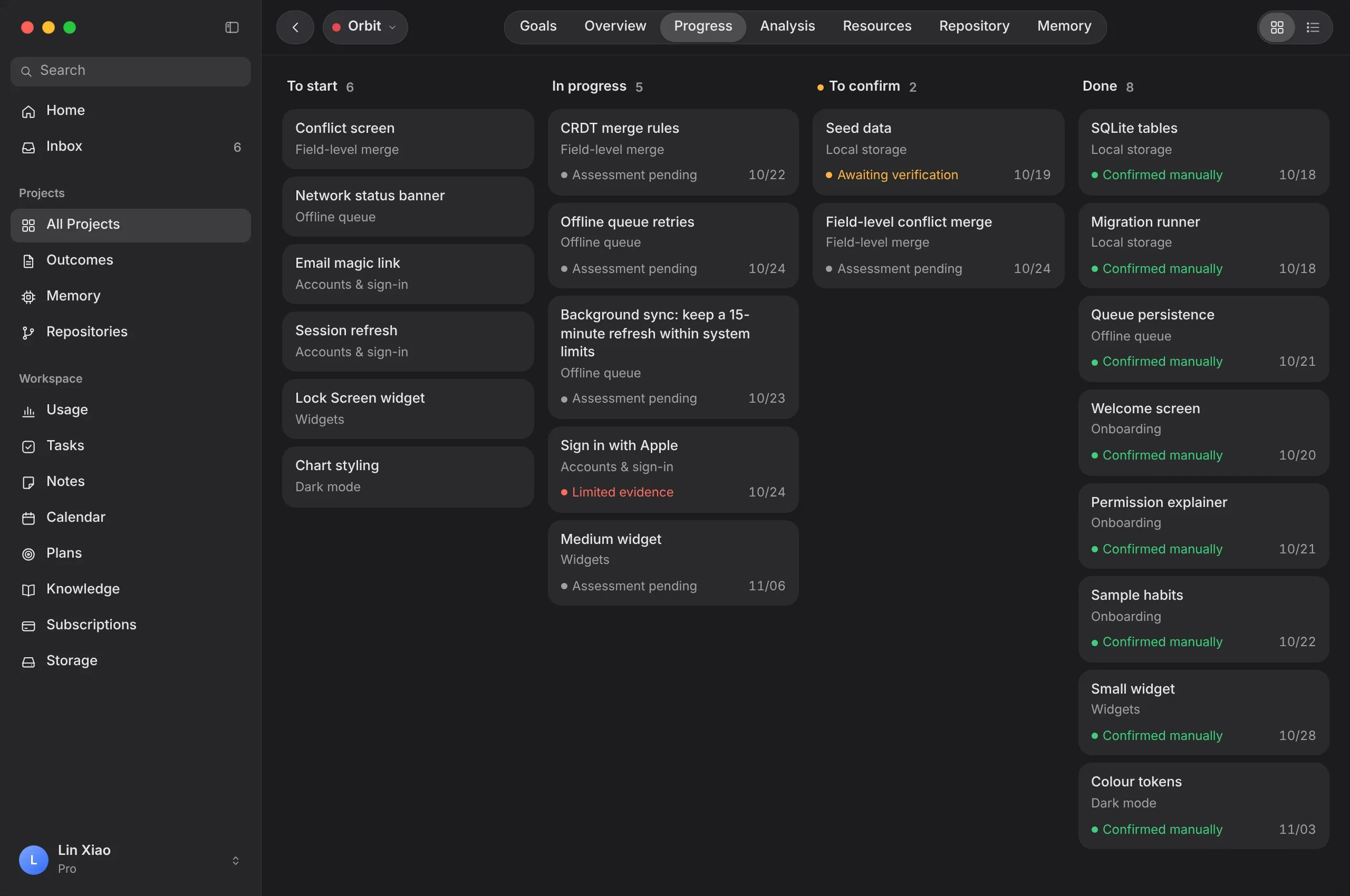
Track every execution task by status. Each one carries its evidence state, so you can see what is verified and what still needs your confirmation.
- Board, list and node views
- Filter by phase, status and date
- You confirm what is done
Turn your conversations into progress.
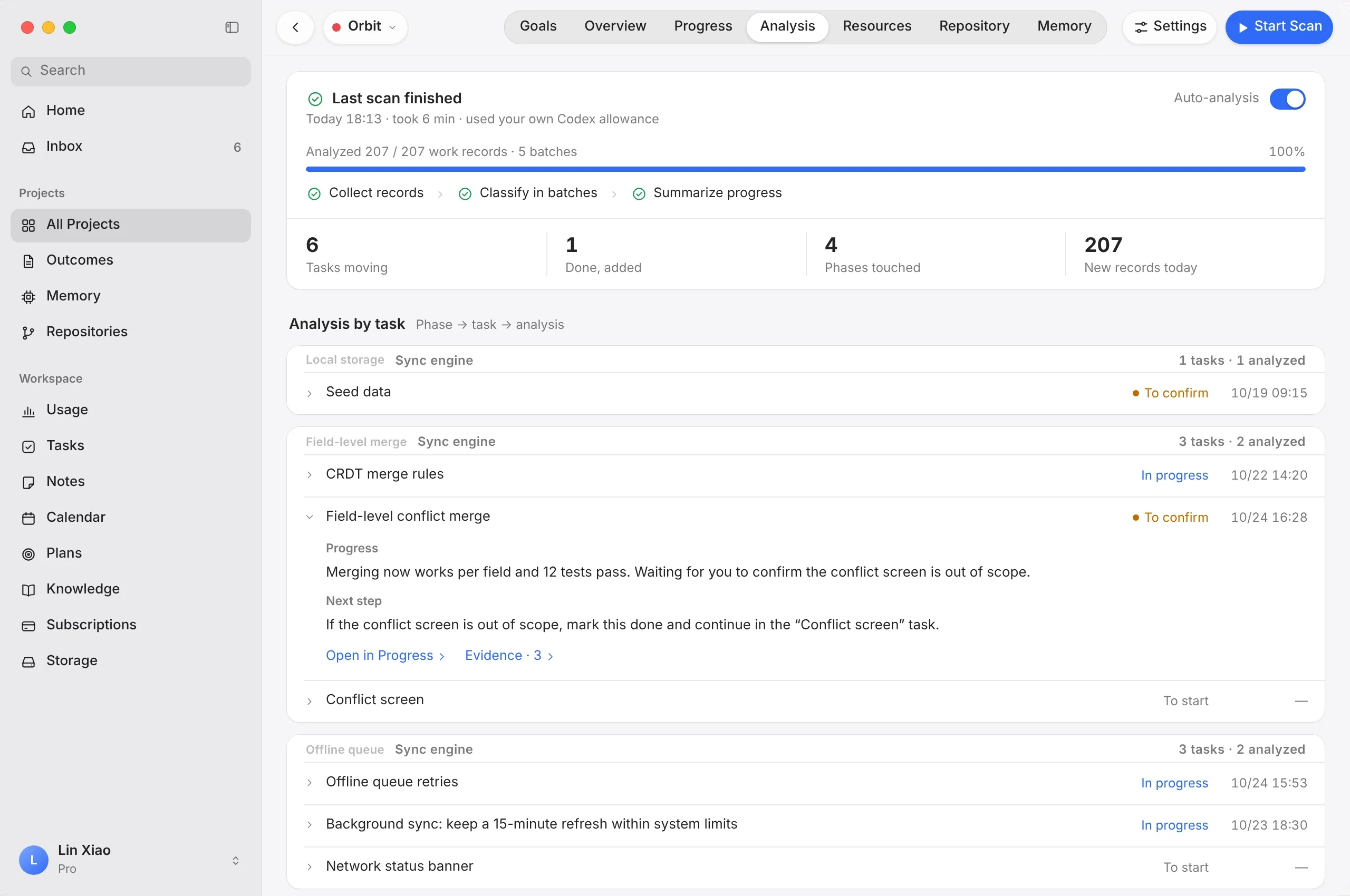
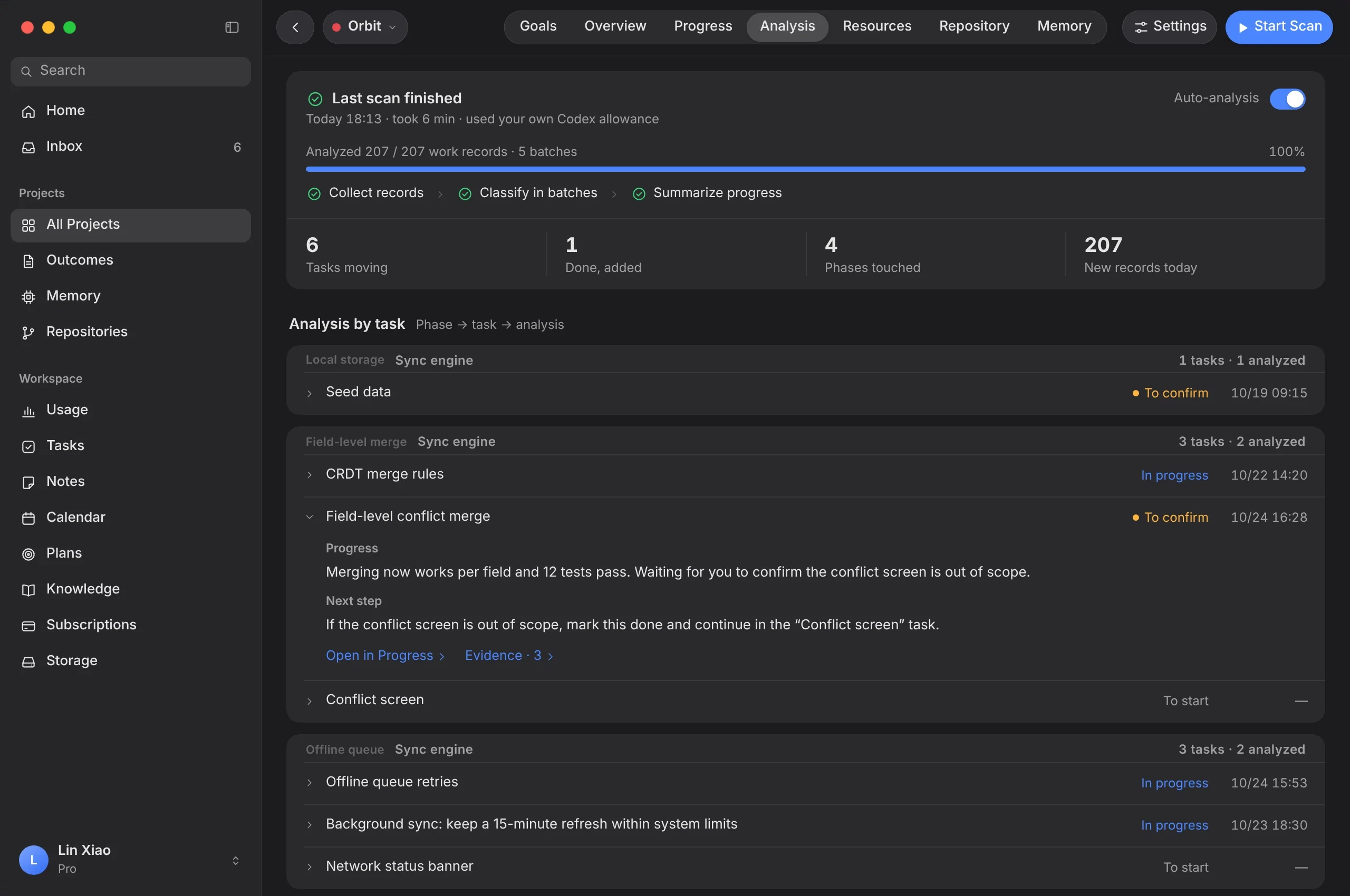
Stakoa scans your conversations and project context, collects the records that matter, sorts them by phase and task, and summarizes progress against your goals.
- Collect → classify → summarize
- A progress analysis for every task
- Runs automatically on your schedule
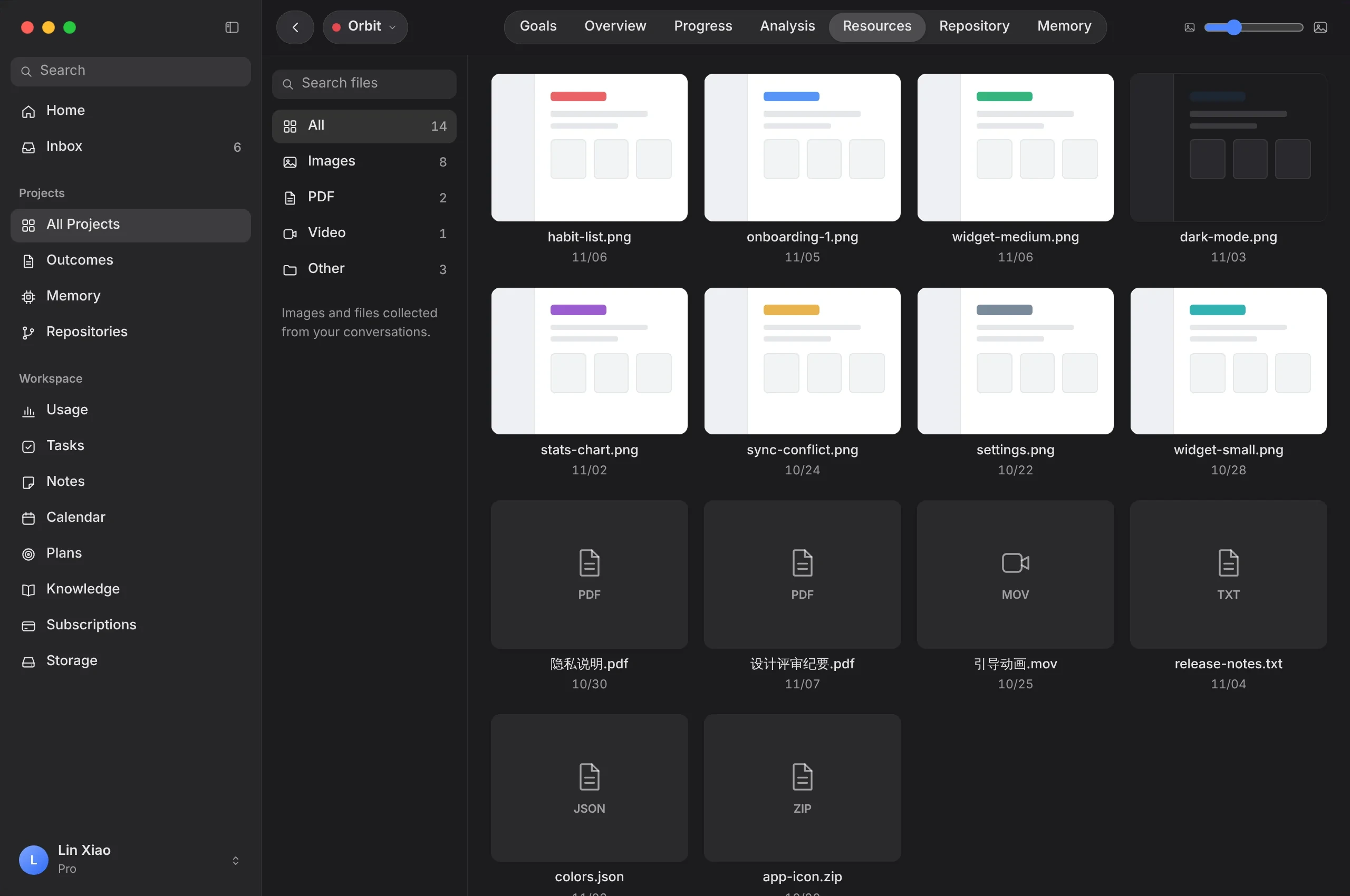
Every file, filed with its project.
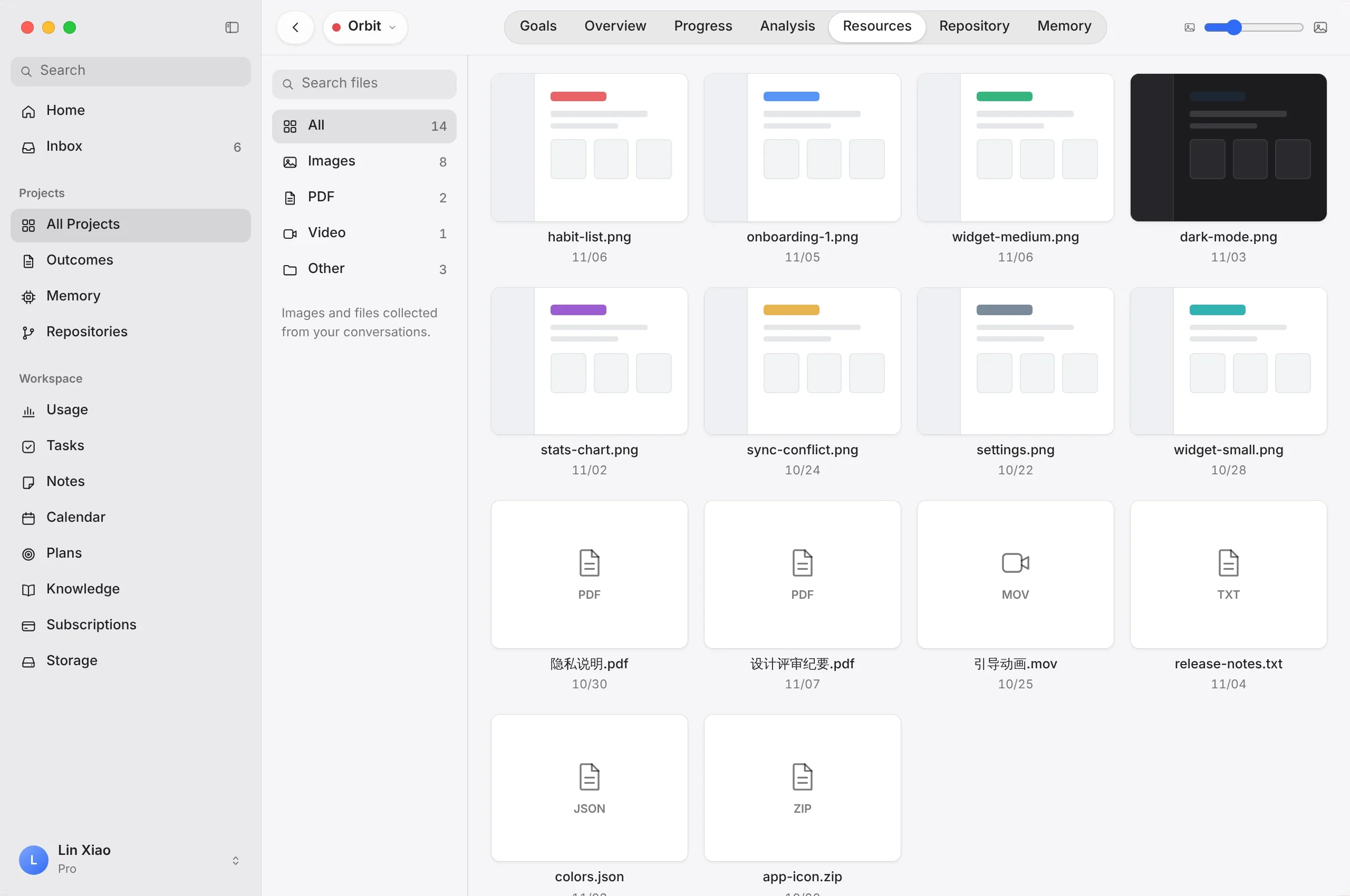
Screenshots, PDFs, recordings and documents from your work are kept with each project and sorted by type, so the asset you need is never buried in a folder.
- Files kept per project
- Images, PDFs, video, audio and more
- Grid and list views with search and sorting
A lower barrier. Still built like a pro.
A lower barrier without losing structure: Stakoa gives creators a semi-automated workflow and product standards that turn ambitious ideas into finished products, step by step.
Describe what you want in project goals, then break it into branches, phases and execution tasks — even complex products get a clear route.
Scan analysis reads your Codex conversations and updates the overview, progress and resources on its own — nothing to maintain by hand.
Every task comes with suggested next steps, each with an expected result, a done criterion and the risks to watch.
Design rules and product decisions become project memory that Codex can read in later work, so the product grows more consistent.
Outcomes, code and memory — connected.
Follow progress day by day, keep every project’s code in sync and carry decisions forward.
Know what changed — today and every day.
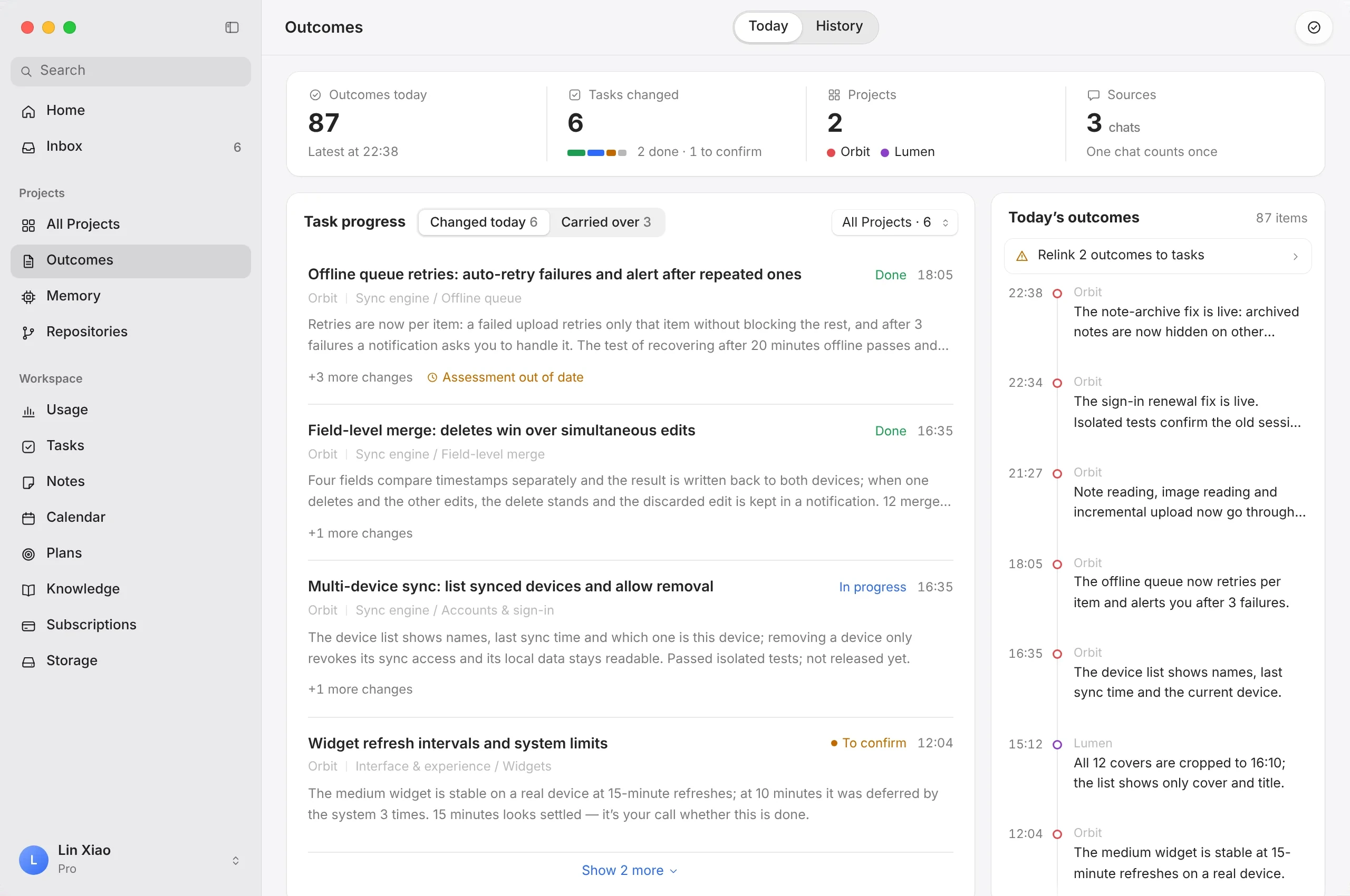
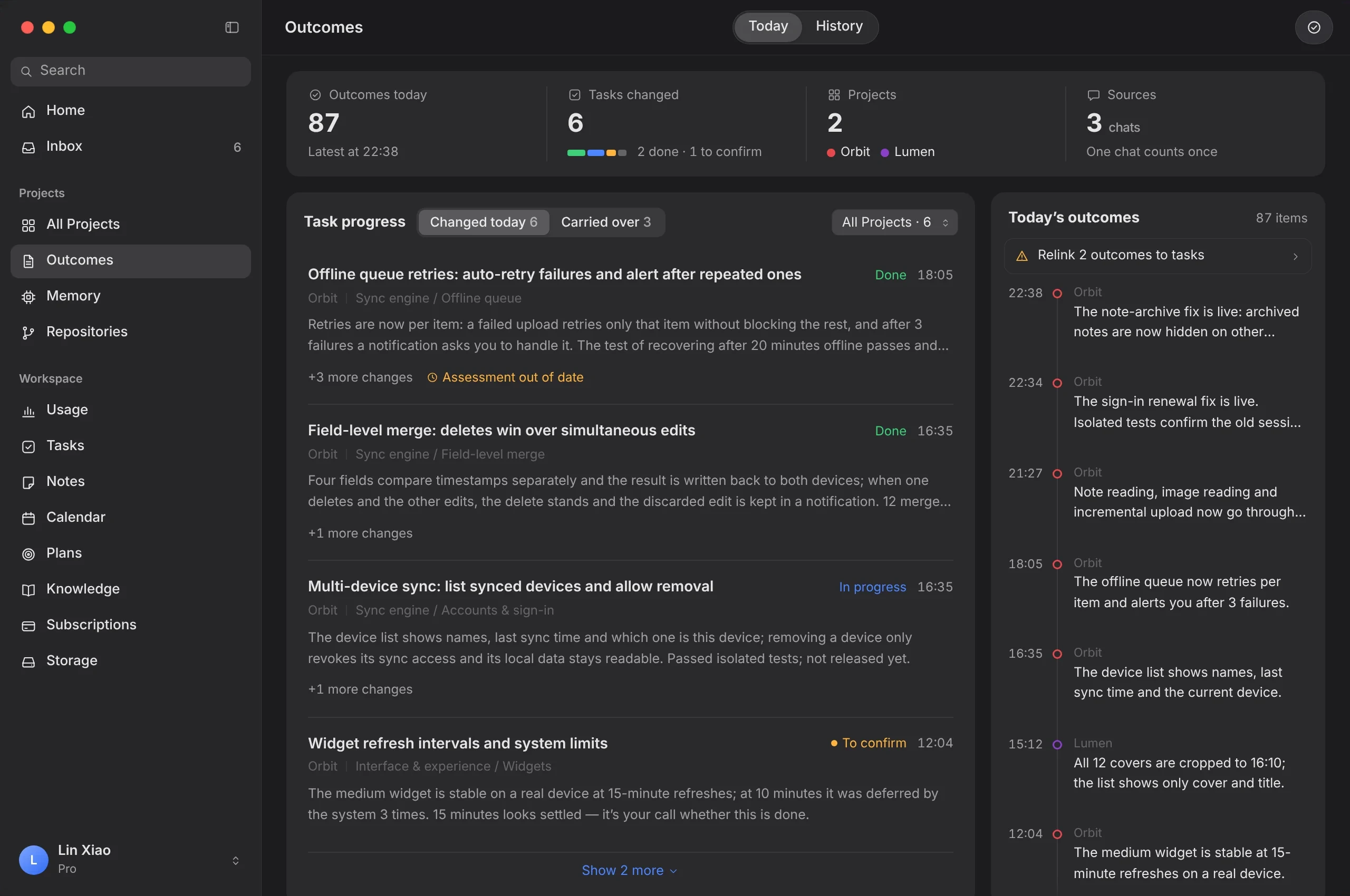
Project outcomes show each day’s progress across all your projects, with the full history kept — so you can look back at any day and pick up where you left off.
- Today and history views
- Outcomes, changed tasks and sources per day
- Tasks that carry over across days stay visible
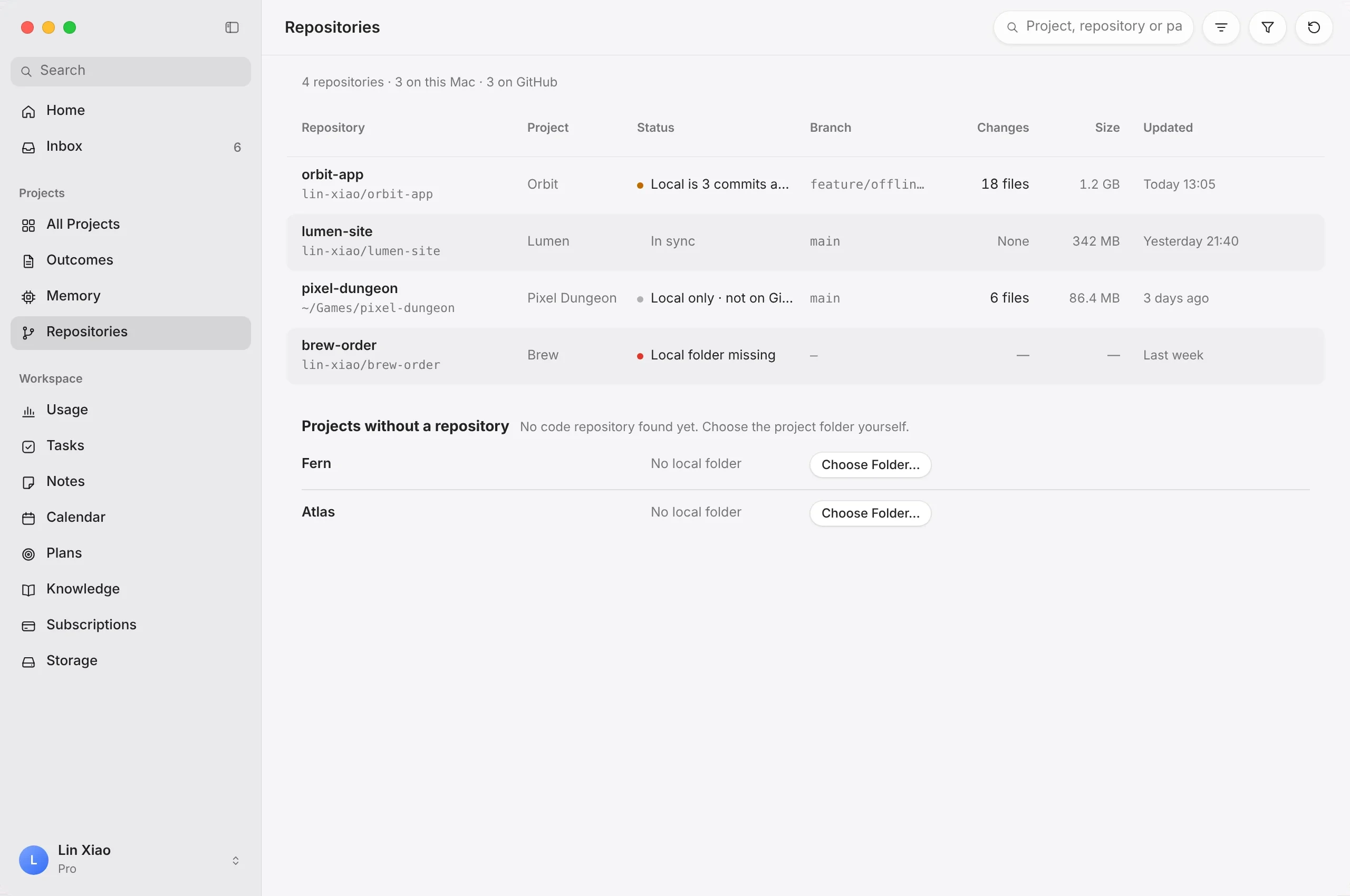
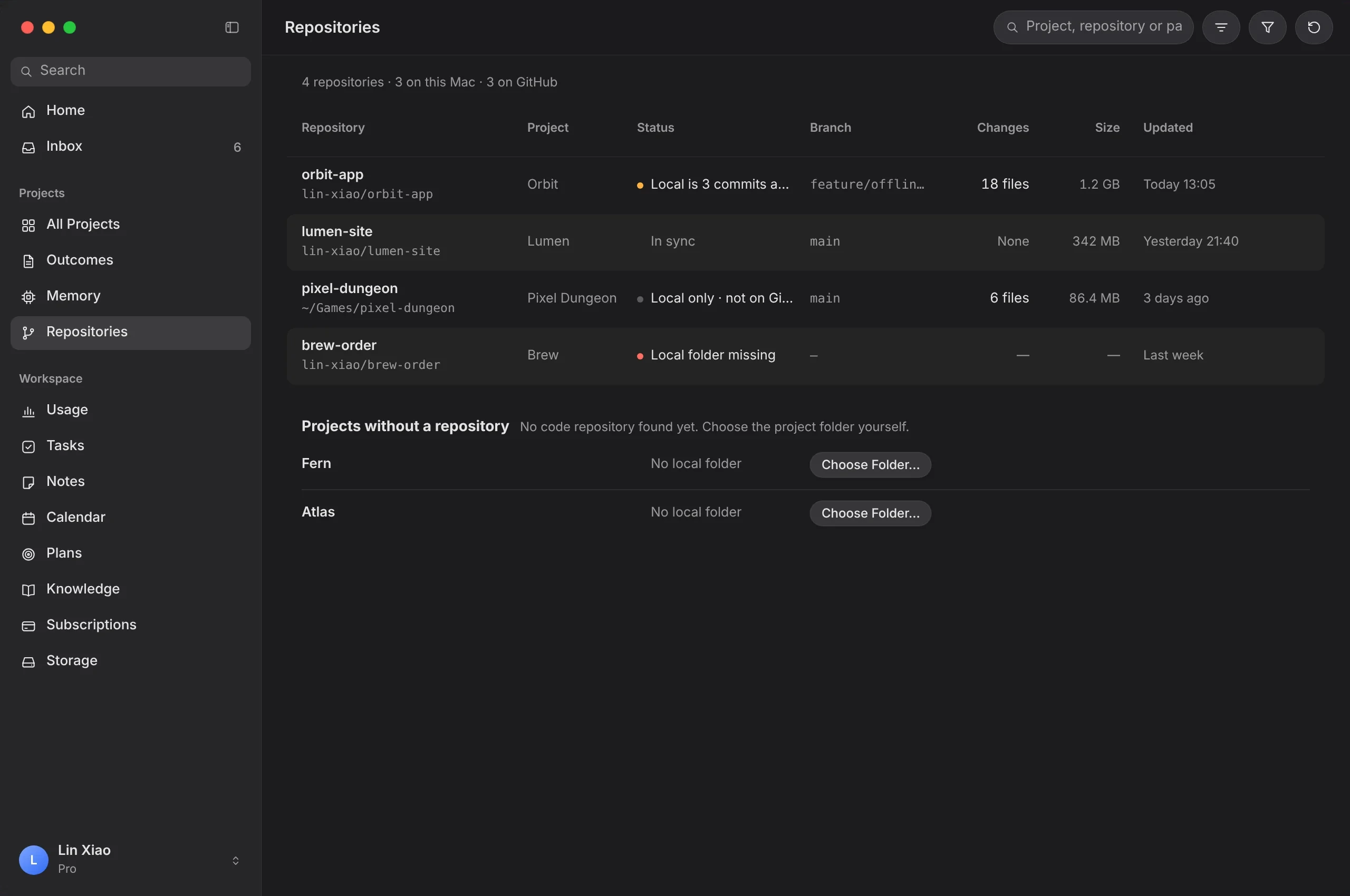
A repository for every project, ready to push.
Stakoa creates a repository for each project, links it to your GitHub account and uploads each day’s changes in three steps — with a sensitive-content check before anything leaves your computer.
- Created automatically for each project
- Linked to your GitHub account
- Three-step upload of daily changes
Stop re-explaining your project.
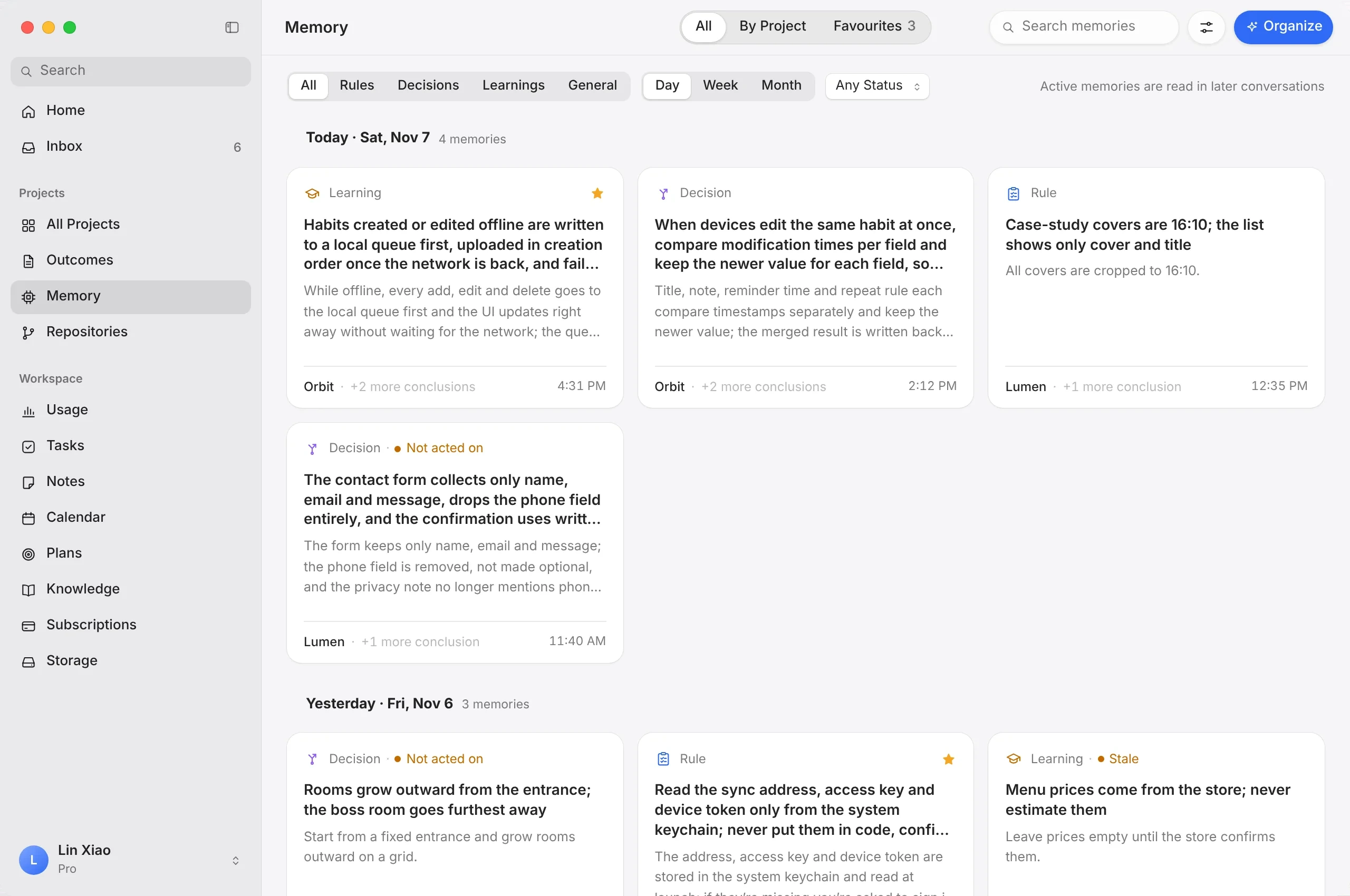
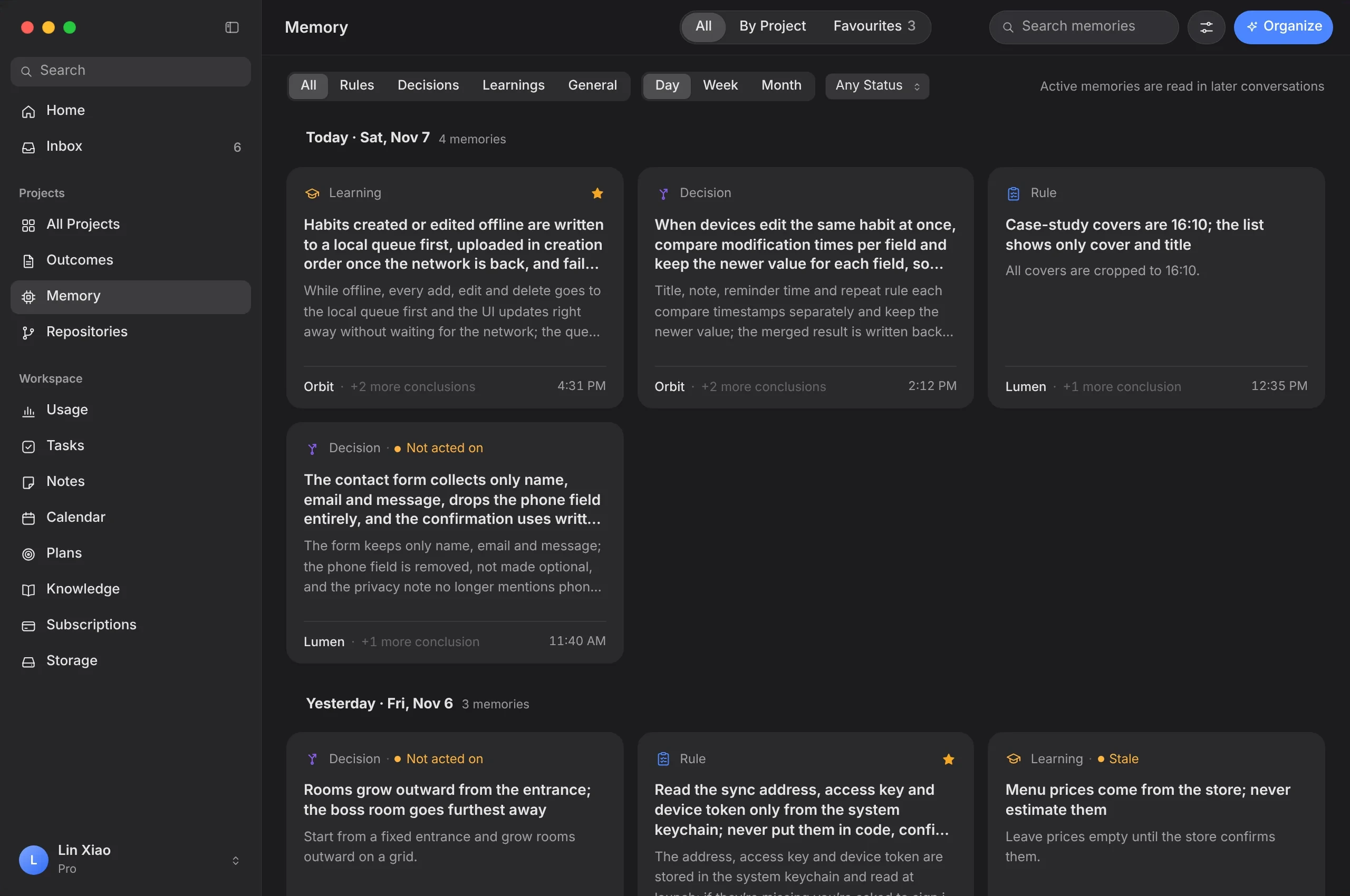
Stakoa distills useful conclusions from your work — decisions, standards, lessons — and keeps each one with its scope, its rationale and a link back to where it came from. Your next session — or Codex itself — picks up from there.
- Conclusion, scope and rationale on every card
- Decisions, standards and experience — each with a status
- Day, week and month views, favorites and search
Every tool, built around your projects.
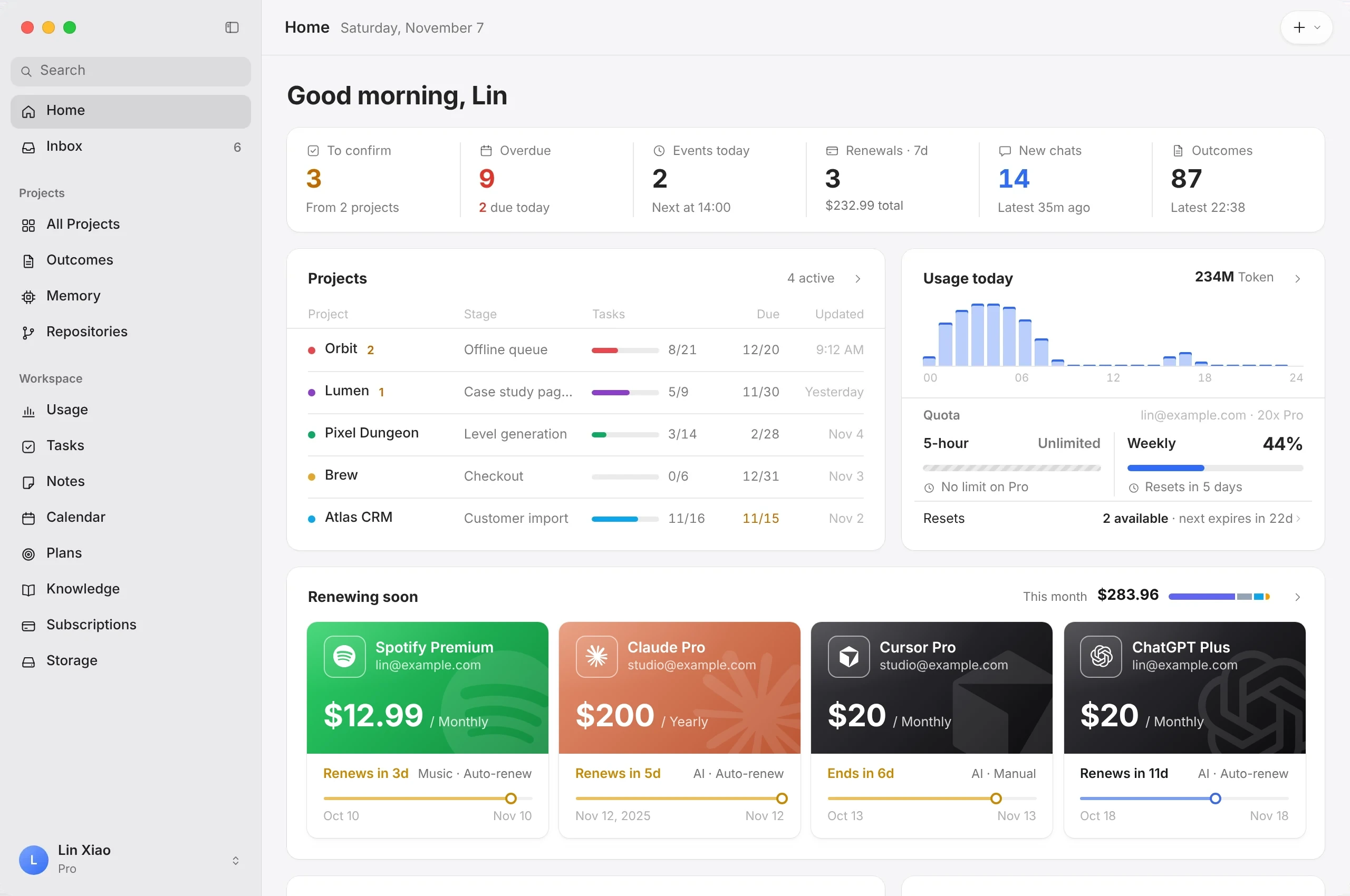
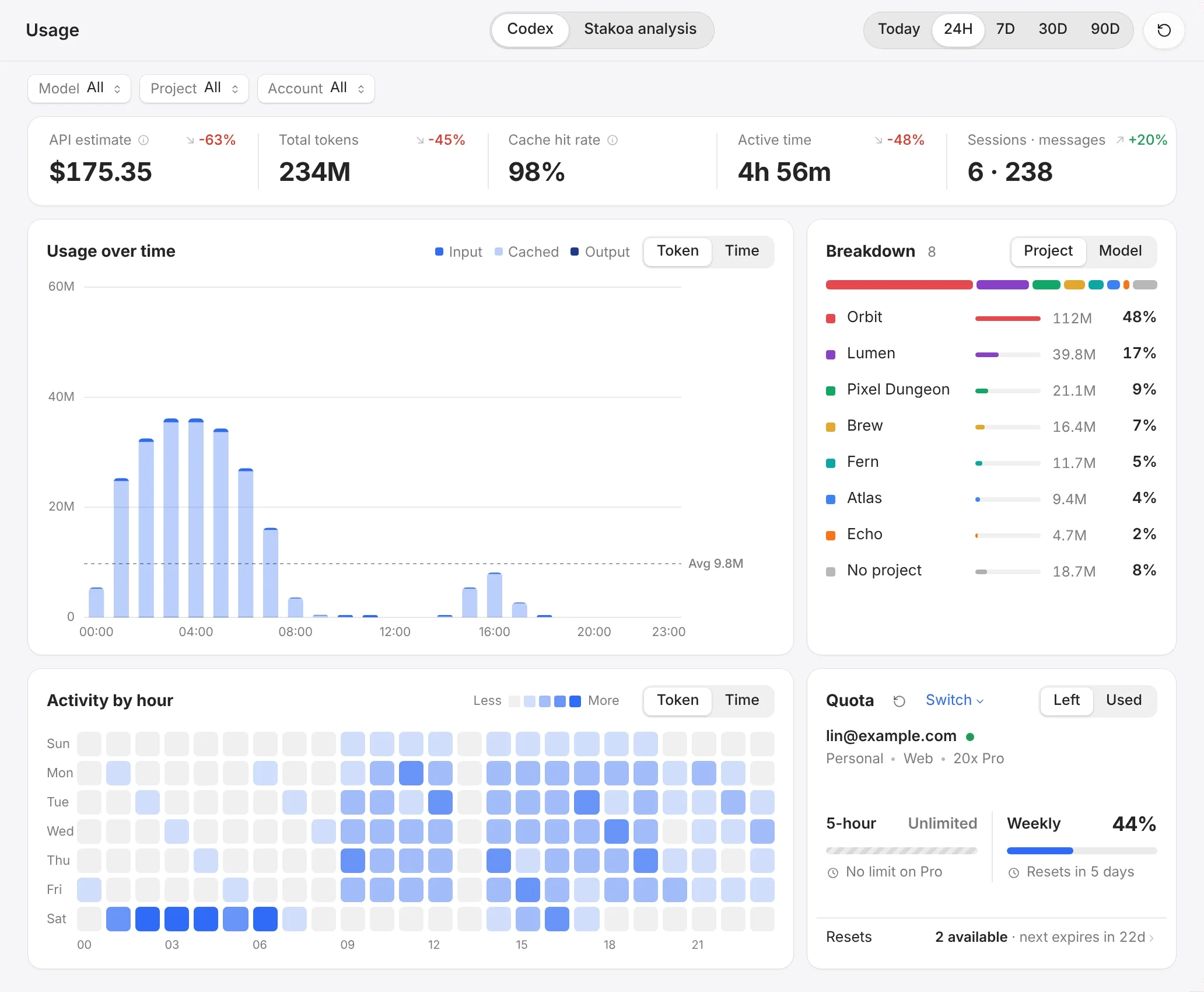
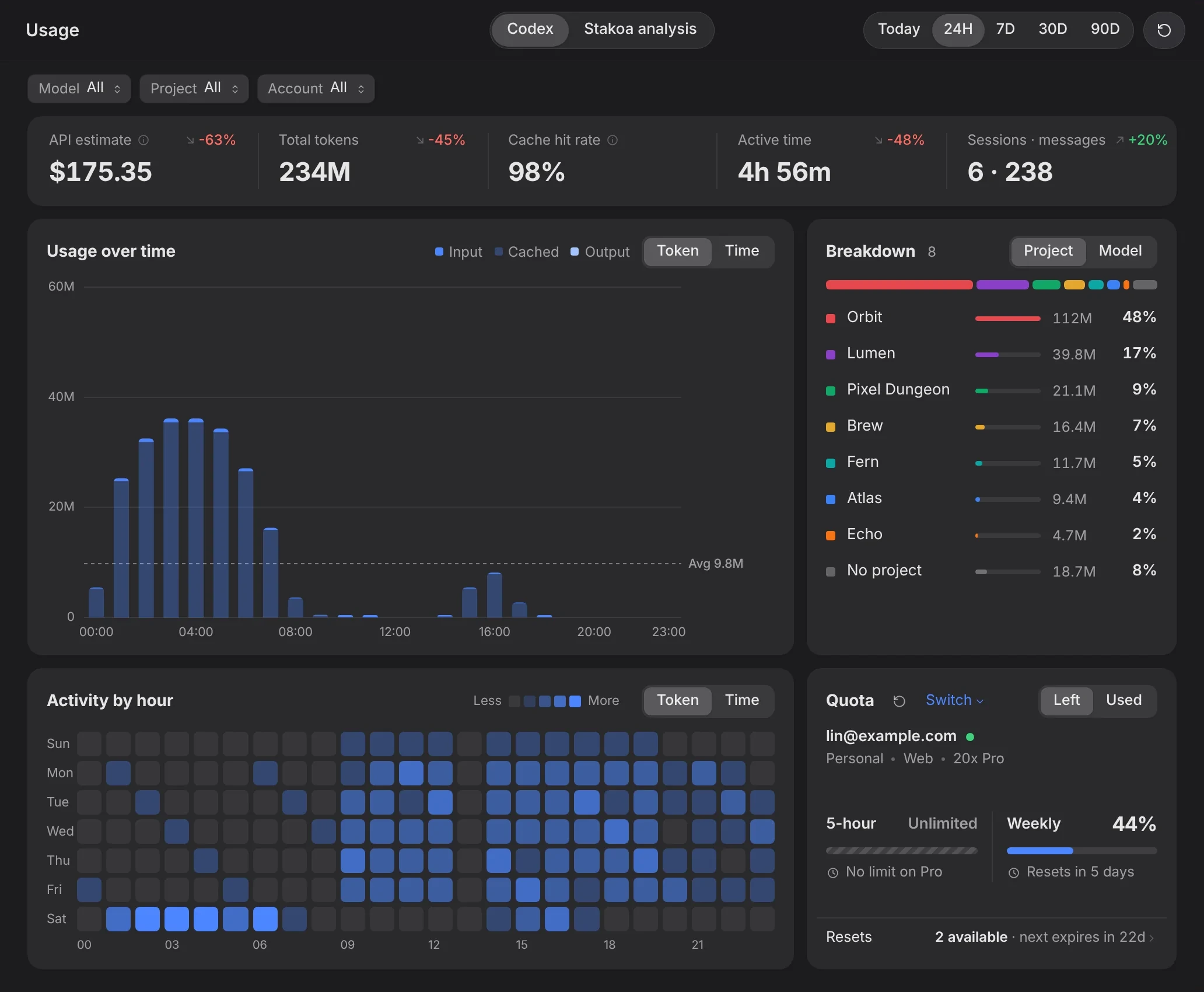
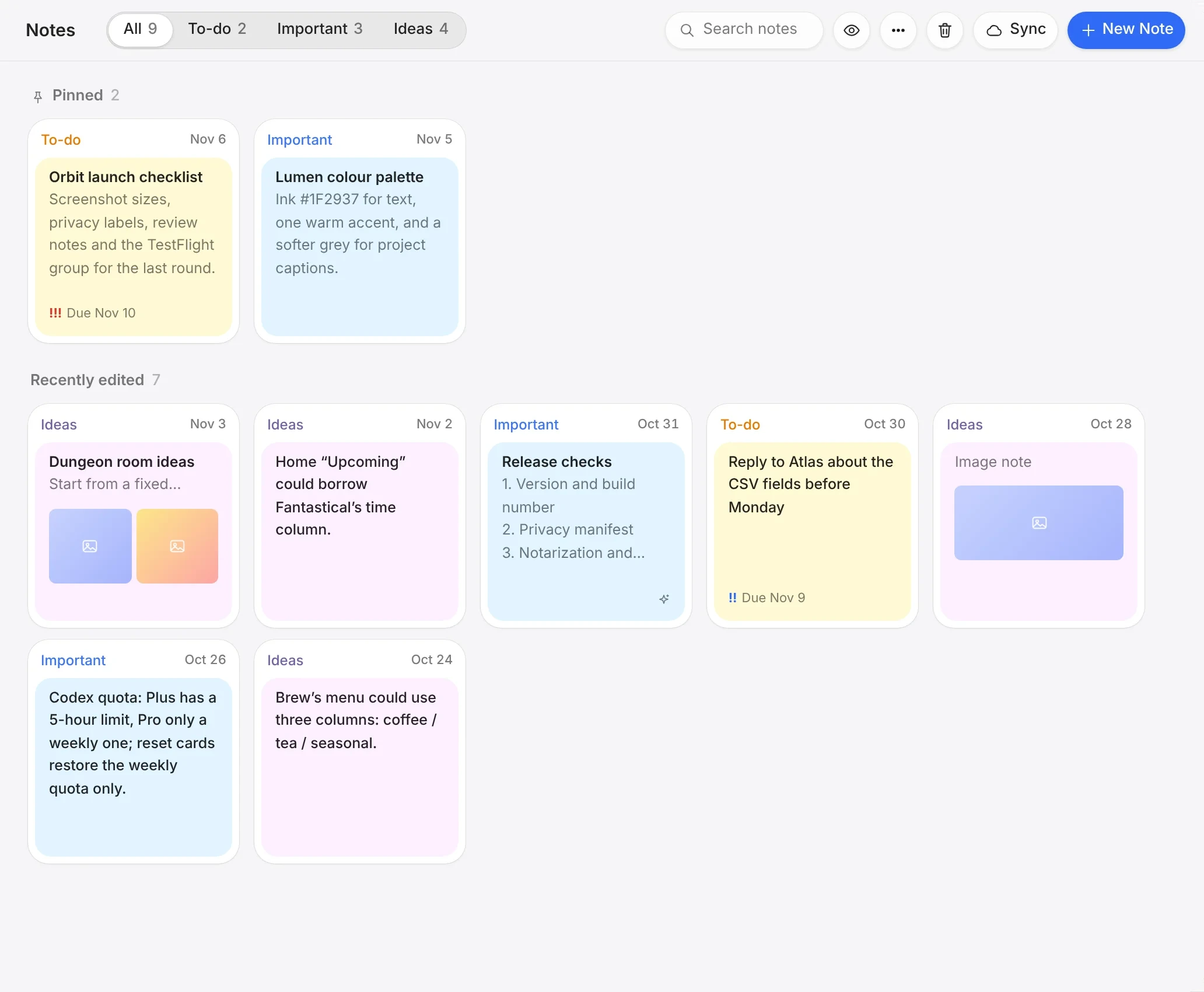
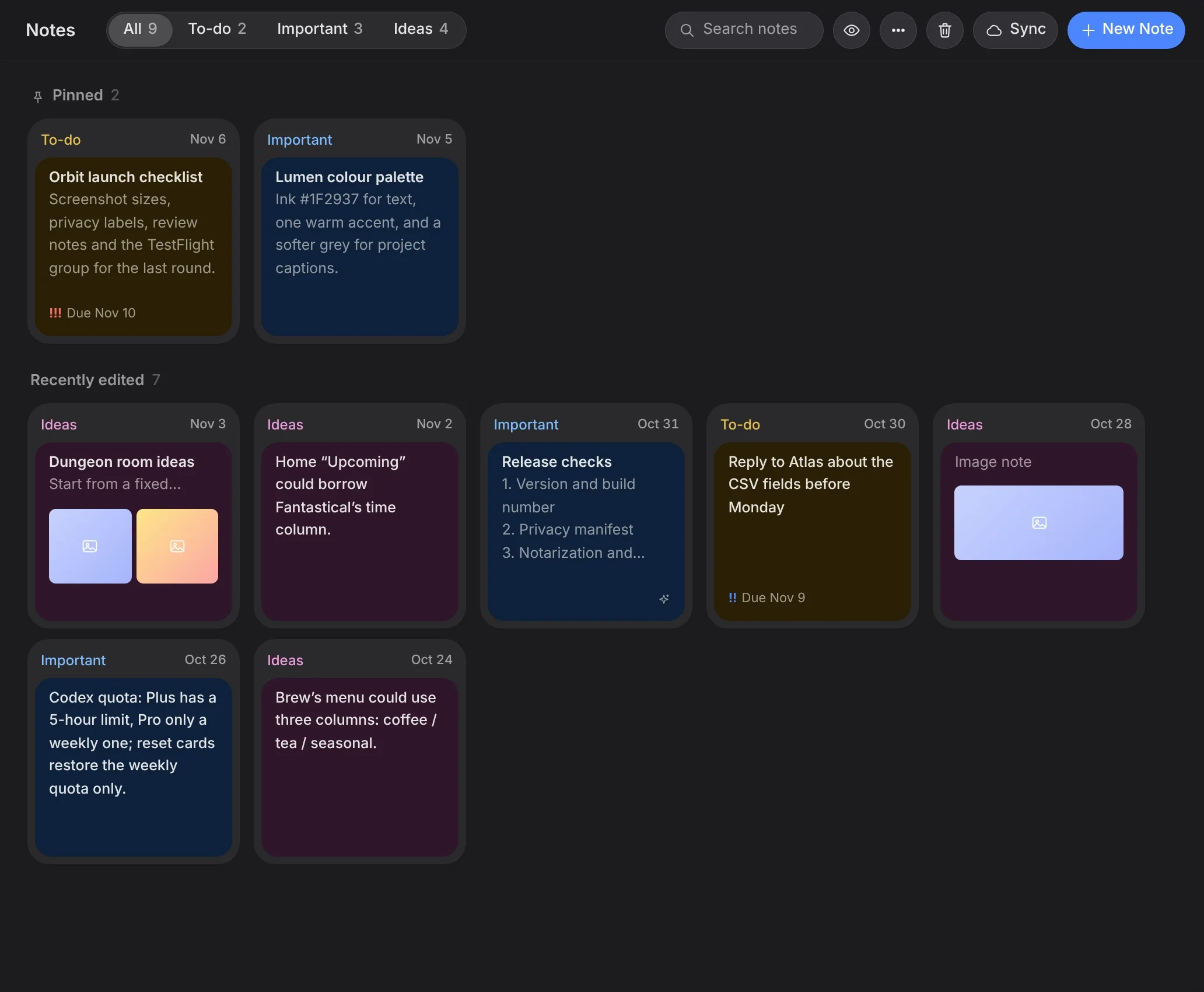
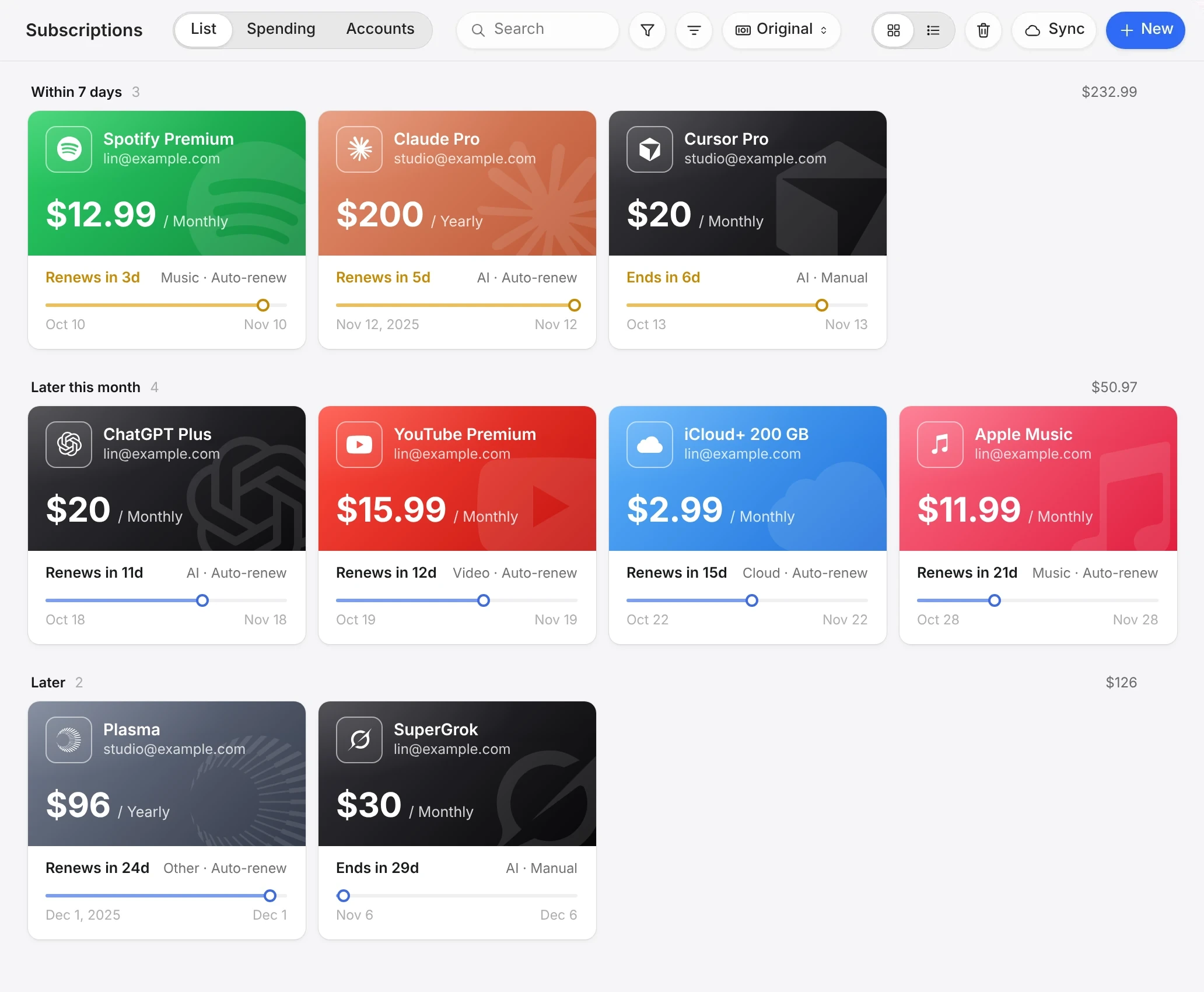
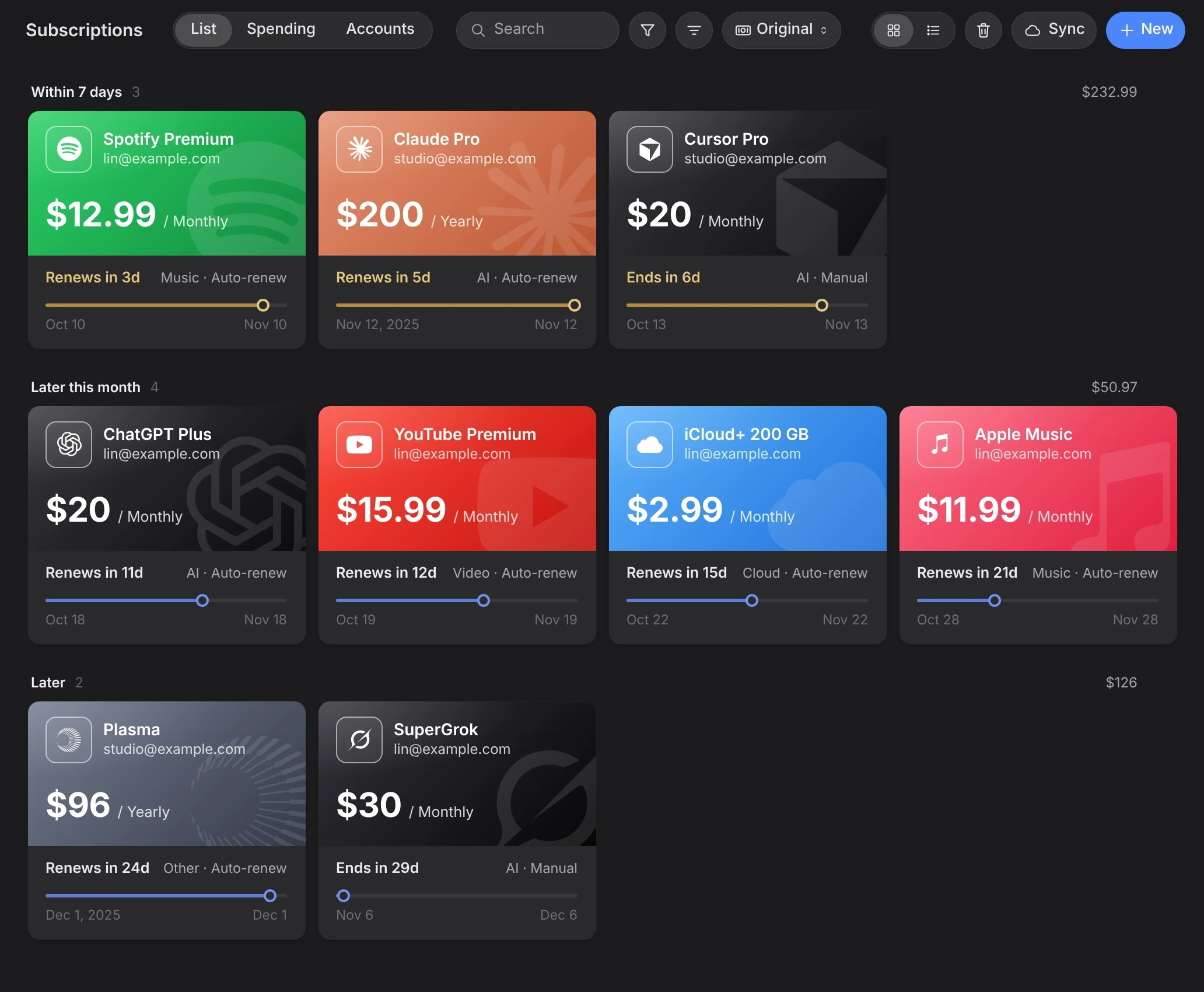
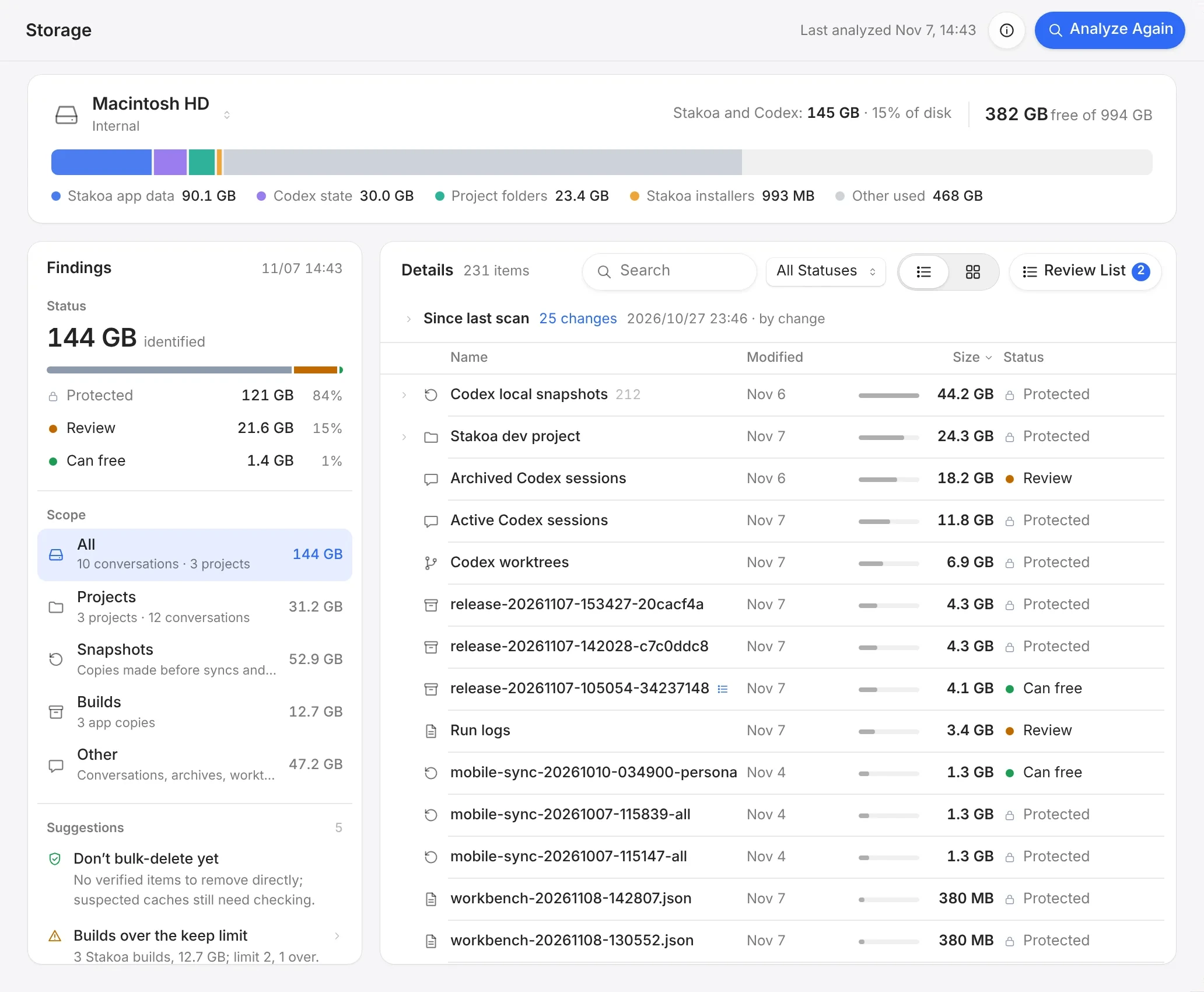
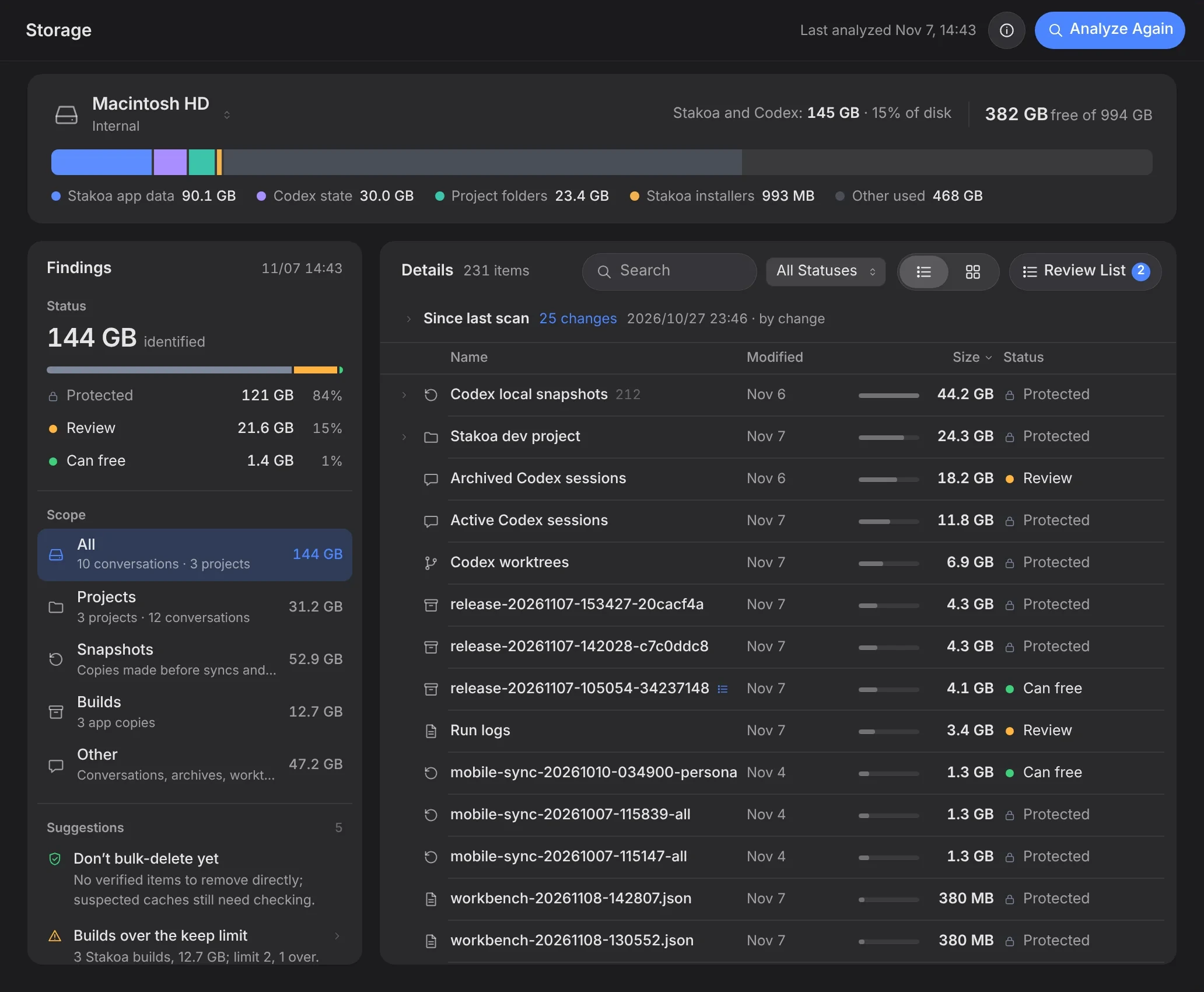
Usage, notes, tasks, calendar, knowledge and storage aren't separate apps — they link to Project Overview and work together to move each project forward.
Built for creators who build with AI.
Private data, protected at every step.
Projects, notes, passwords and subscriptions are personal. Stakoa keeps them on your computer by default, protects passwords and credentials separately, and encrypts everything it syncs in transit.
Stored on your computer
Projects, notes, to-dos, passwords and subscriptions are saved locally. They reach the sync server only when you sign in and use cloud sync.
Passwords stay hidden
Saved passwords are masked until you choose to reveal or copy them, and internal save records never keep the password itself.
Credentials kept by your system
Your sign-in, sync credentials and GitHub authorization are encrypted with Windows data protection or the macOS Keychain, and never saved as plain text.
Encrypted in transit
Cloud sync, for signed-in Pro and trial users, uses an encrypted connection with certificate checks. Conflicts keep both copies, and to-do attachments stay on this device.
Secrets hidden from AI
Passwords, tokens and private keys are hidden before conversations become project memory. AI analysis runs only after you allow it, and GitHub pushes are checked for leaked keys.
Deletion you can trust
Deleted notes and to-dos wait in the trash for a month. Once permanently deleted, they cannot be recovered from the sync server either.
Start free. Upgrade as you grow.
The core workflow for a few projects.
- Every project detected, 2 active projects
- Project overview, goals and progress board
- Scan analysis, run by hand
- Analysis of the last 14 days of conversations
- Outcomes from today and the last 14 days
- One repository and one project memory
- Storage cleanup
- Workspace tools with record limits
- One device, stored locally
Full features and cloud sync for many projects.
- Unlimited active projects
- Automatic scan analysis
- Full project history and past outcomes
- Unlimited repositories, daily changes uploaded in one step
- Memory for every project, kept up to date
- Full usage history by project and account
- Unlimited notes, tasks, plans, events, subscriptions and accounts
- Encrypted cloud sync across up to 3 devices
- Voice transcription and data export
Built-in AI and collaboration, on top of Pro.
- A built-in AI assistant that doesn’t use your Codex allowance
- Share progress and invite others to view or comment
- Support for more models
- Up to 6 devices, with to-do attachments synced
- Longer cloud version history
- Priority support and early access to new features
Analysis runs on your own Codex allowance. No credits to buy and no usage caps from us.
Everything you already have can still be viewed, edited and deleted. Only new items beyond the Free limits are paused, and your cloud copy is kept for 60 days.
Subscribe by 11:59 PM PT on December 31, 2026 for 10% off Pro for your first 12 months: $12.60 a month or $105 a year. Renewals after that are $14 a month or $117 a year.
Compare Free and Pro
| Feature | Free | Pro |
|---|---|---|
| Projects | ||
| Projects detected | All | All |
| Active projects | 2 | Unlimited |
| Goals, overview and progress board | Included | Included |
| Scan analysis | By hand | Automatic and by hand |
| Analysis range | Last 14 days of conversations | Full history |
| Project outcomes | Today and last 14 days | Full history |
| Repositories and memory | ||
| Repositories | One, uploaded by hand | Unlimited, one-step daily upload |
| Project memory | One project | Every project, kept up to date |
| Workspace | ||
| Usage | Current allowance and last 7 days | Full history by project and account |
| Storage cleanup | Included | Included |
| Notes and project tasks | 20 each | Unlimited |
| Long-term plans and calendar events | 10 each | Unlimited |
| Subscriptions and account records | 5 each | Unlimited |
| Devices and data | ||
| Devices | One, stored locally | Up to 3, encrypted sync |
| Voice transcription | — | Included |
| Data export | — | Included |
| Cloud version history | — | Included |
Yes. Stakoa is built for creators who make products with AI. Write down your project goals and break them into phases and tasks — the overview, progress, scan analysis and resources are generated from your Codex conversations, with no code to read or manage.
A Windows or macOS computer with Codex signed in. There are no API keys to configure — install Stakoa and create your first project.
No. Analysis and memory use your own Codex account and allowance, shared with your other Codex tasks. You can choose the model, reasoning effort and token budget, and track usage on the Usage page at any time.
No. Stakoa reviews the evidence in your conversations and suggests progress — what is supported, what conflicts and what needs your confirmation. The final call is always yours.
Free gives you the full project workflow on 2 active projects: project overview, goals, the progress board, and scan analysis run by hand over the last 14 days of conversations, plus storage cleanup and the workspace tools with record limits. Pro removes the limits and adds automatic analysis, full history, cloud sync across up to 3 devices, voice transcription and data export.
After you verify your email, every Pro feature is free for 14 days, with no card required. When the trial ends, your account returns to Free. Everything created during the trial can still be viewed, edited and deleted; only new items beyond the Free limits are paused.
Yes. Once your account returns to Free, everything saved on your computer can still be viewed, edited and deleted. When a type of content reaches or exceeds its Free limit, creating new items of that type is paused. Cloud sync stops and your cloud copy is kept for 60 days. Data export stays available for 30 days.
Yes. Pro and trial users signed in to the same account can sync notes, to-dos, long-term plans, calendar events and account records across up to 3 devices. To-do attachments stay on the device where you added them.